服務及客服服務 / Google browser download problem solved
Google browser download problem solved
1. If an error similar to the one shown below occurs, please follow the solution process.

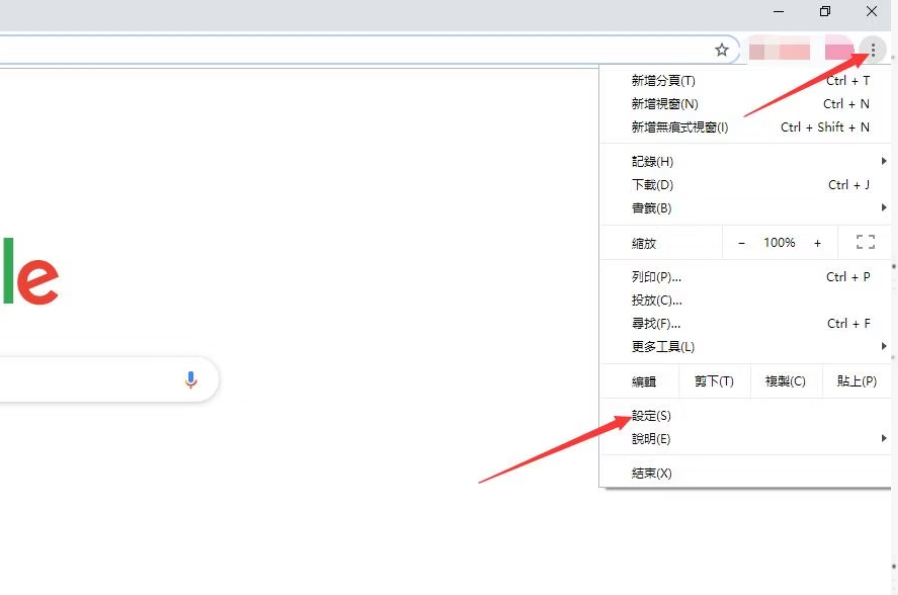
2. Click the Google icon in the upper right corner of the browser > [Settings]
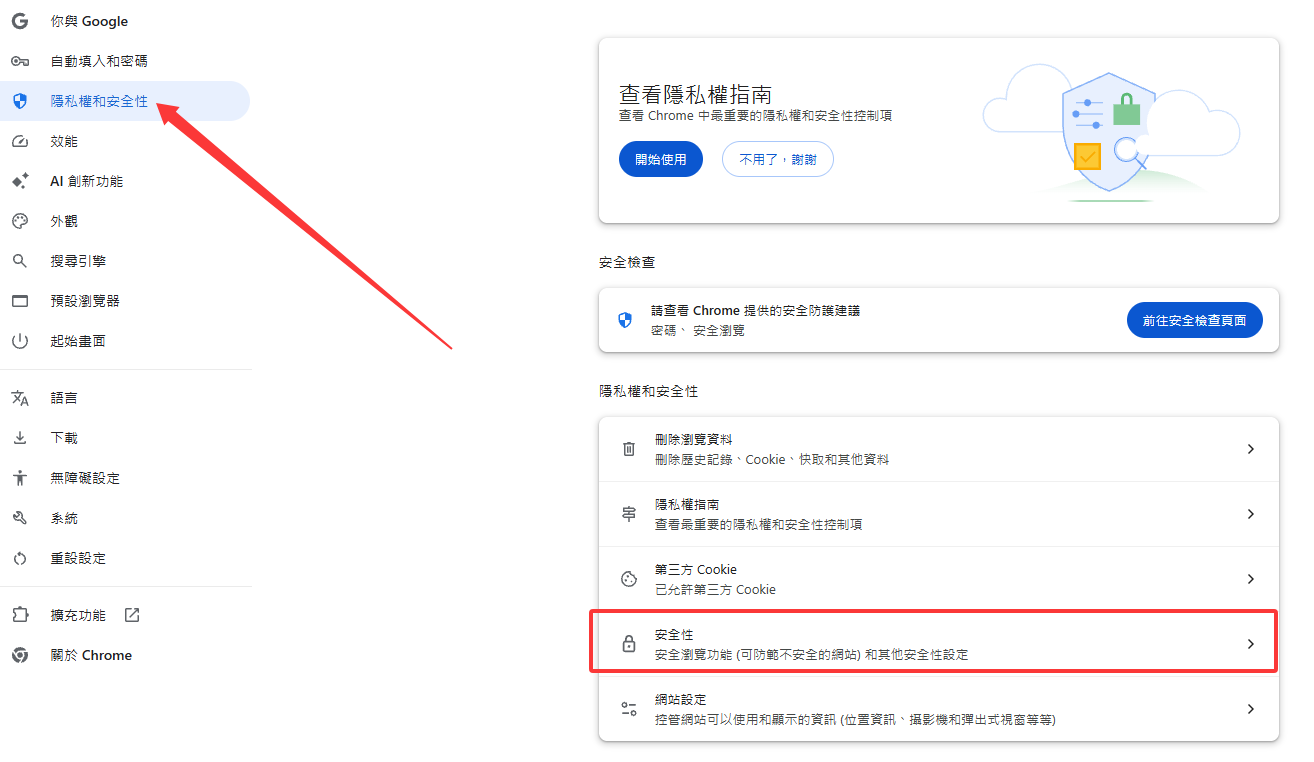
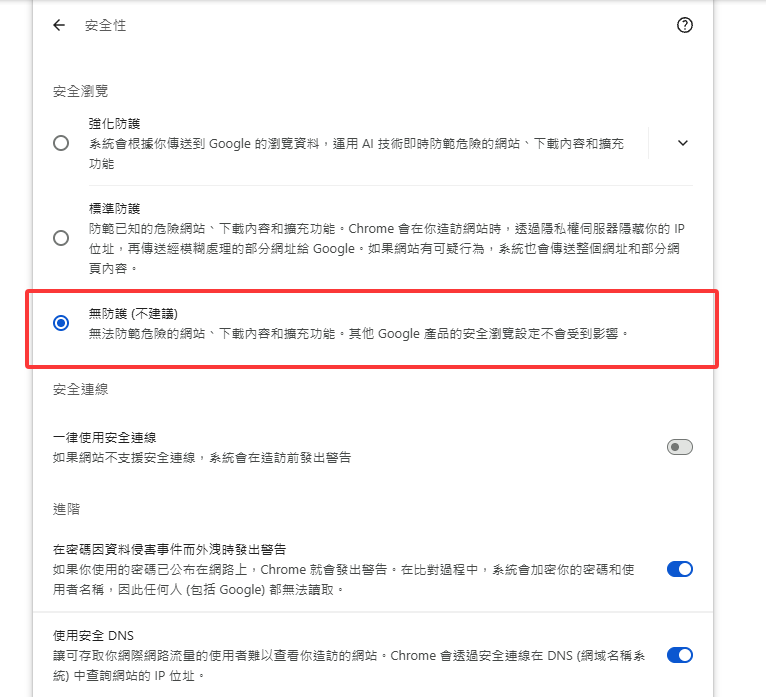
4.security
Change it to as shown in the figure
You can then download the file again